APCS Video Tutorial with DrJava

I found a video tutorial by Chris Thiel that uses DrJava to prepare students for the APCS curriculum.

I particularly liked that he used several of the features I introduced to DrJava, like the auto-import dialog in the Interactions Pane and the “Open Javadoc” feature.

Share
Posted in DrJava | Leave a comment

Print This Post Print This Post  

New DrJava Stable Release: drjava-stable-20090821-r5004

We have made a new stable version available: drjava-stable-20090821-r5004. You can download it from SourceForge or from the DrJava homepage.

Available for download at http://drjava.org .

DrJava is a lightweight programming environment for Java designed to foster test-driven software development. It includes an intelligent program editor, an interactions pane for evaluating program text, a source level debugger, and a unit testing tool.

In addition to bug fixes, this stable release includes a number of new features introduced after the last stable release:

These features include default imports for the Interactions Pane, inner classes as main class for projects, Javadocs and auto-completion for JUnit, Javadocs and auto-completion for user-defined libraries (“Additional Javadoc URLs”).

An applet viewer is included, and classes that extend Applet can be run using the “Run Document as Applet” menu item (under “Tools”) or using the “applet MyClass” command in the Interactions Pane.

The debugger has been improved and now includes an automatic trace feature to step through the code at a user-determined interval, array element watches in the debugger, and the ability to debug language level files without seeing the Java code that they get translated to. The debugger also retains the imports that have been made before the last step was taken or a breakpoint was hit.

DrJava can now also associate source, project and add-on files with DrJava so that they can be opened by double-clicking on them in the Windows Explorer or MacOS Finder (.java, .drjava, and .djapp files).

The source browser was improved: Browse forward and backward like in a web browser!

Since there still is an incompatibility between Sun’s Swing GUI library and the the Compiz window manager on Linux, we now check for the presence of Compiz and display a warning.

Notable is the ability to close the System.in stream in the Interactions Pane and an automatic update feature that downloads new versions of DrJava automatically.

The most important bug fixes include changes to the language level converter, compatibility with network paths, a debugger deadlock, and color preferences.

Note: The default project file extension now is .drjava, not .xml anymore.

Note: Java 1.4 compatibility has been dropped with this release. To use DrJava, you will need Java 5 or newer.

New features since the last stable release:

  • Interactions pane options: Require variable types, require semicolon, access control checks for private and package private members.
     
  • File associations in Windows and Mac OS.
  • Improved source browser.
  • Display and select from all installed JDKs.
  • Reorganized Preferences dialog.
  • Compiz warning.
  • Interactions Pane parser allows annotations.
  • Completed support for nested classes (static and non-static) in Interactions Pane.
     
  • The System.in stream can be closed by pressing Ctrl-D when in the input box.
  • Imported classes and packages can persist over breakpoints and debugger steps. To enable or disable this, change the setting in the Debugger tab of the Preferences.
  • Default imports for the Interactions Pane
  • Inner classes as main class for projects
  • Javadocs and auto-completion for JUnit (3.8.2).
  • Javadocs and auto-completion for user-defined libraries (“Additional Javadoc URLs”)
  • Automatic tracing in the debugger.
  • Array element watches in the debugger.
  • Automatic update feature (“Help/Check for New Version”)
  • Applet viewer
  • Multiple key bindings per action
  • Improved Jar creation dialog
  • Find All/Replace All can be limited to a selected section of code


Bug fixes since the last stable release:

  • Bug fixes for Language Level facility.
  • Updated JGoodies Plastic look-and-feel.
  • Bug fixes for Interactions Pane: arrays, break statement, switch, non-void main methods.
  • NullPointerException After Closing File with Error
  • Mac OS X Java VM selection for 64-bit
     
  • Bug fix for Icelandic keyboard to allow braces { } to be entered.
  • Miscellaneous Interactions Pane parser bug fixes.
  • Bug fixes in type checking in Interactions Pane.
  • Implemented qualified super expressions in Interactions Pane.
  • Fixed name resolution issues involving circular dependencies.
     
  • When the “java MyClass” command is used to start a program in the Interactions Pane, the command is not translated to “new MyClass().main(…)” anymore, but retained as “java MyClass”.
  • If DrJava is unable to restart itself, e.g. if the heap size is too large for the machine, DrJava asks the user if it should reset the configuration and try again.
  • Javadoc 6 is now linked correctly in the “Open Javadoc” feature.
  • Several bug fixes related to unit testing and the debugger.
  • “Open Java API Javadoc for Word Under Cursor…” has been fixed.
  • Better behavior for next/previous word and selection of word by double-clicking in Definitions Pane.
  • Fixed syntax highlighting and interpretation of long literals and hexadecimal literals
  • Fixed problems with modal dialog boxes when the user switches to another application.
  • Fixed a memory leak.
  • Several language level fixes.
  • Filtered ASCII text when pasting.
  • Fixed network paths in projects.
  • Colors can now be configured again.
  • Documents that have been closed are not re-opened again if they contained failing unit tests.
  • Removed a deadlock when debugging unit tests.
  • Debugging language level files does not open the generated Java code anymore; line numbers in language level files are correct.
  • Closing a file does not remove all breakpoints and bookmarks anymore.
  • Fixed “No Test Cases” in Find/Replace panel
  • Empty files are not considered “out of sync” anymore during JUnit testing
Share
Posted in DrJava | Leave a comment

Print This Post Print This Post  

Daemon Threads in DrJava’s Interactions Pane

I’m working on integrating ConcJUnit into DrJava (for after the upcoming stable release of DrJava and for my presentations at Rice and PPPJ), and I ran into an interesting issue.

I had a thread that I knew was outliving the test, so it should be flagged with a “no join” warning. However, inside DrJava it wasn’t. The reason was that the thread was a daemon thread, even though I hadn’t set it to be a daemon. I looked at the Java API source code and the Javadoc and found the following statement (emphasis mine):

When code running in some thread creates a new Thread object, the new
thread has its priority initially set equal to the priority of the
creating thread, and is a daemon thread if and only if the creating
thread is a daemon
.

It seems like the thread in which the Interactions Pane runs is a daemon thread, and therefore by default all threads created in it are daemons. I am now wondering if we should change this and whether there are any reasons why we couldn’t. The notion of ignoring daemon threads otherwise seems sound for ConcJUnit, so I’d rather not lose it.

Update

I dealt with this internally in ConcJUnit for now, by setting the test thread to always be a non-daemon. It seems like RMI threads are always daemons. If we want to change the behavior and let threads created in the Interactions Pane be non-daemon threads by default (which is the behavior in stand-alone applications), then we probably have to create a helper thread, force it to be a non-daemon, run the interaction in it, and wait for it to complete.

Share
Posted in Concurrent Unit Testing, DrJava | Leave a comment

Print This Post Print This Post  

OpenJDK Incompatibilities

It seems like we have some incompatibilities with the OpenJDK implementation of Java, both in DrJava as well as in ConcJUnit. I don’t have the exact details on the DrJava problem, but Corky mentioned that there were display problems.

For ConcJUnit, it seems like the instrumented rt.jar file that I create somehow is invalid and the JVM cannot be initialized:

Error occurred during initialization of VM
java/lang/ClassNotFoundException: error in opening JAR file /home/mgricken/drjava/drjava-concjunit/rt.concjunit.jar
Share
Posted in Concurrent Unit Testing, DrJava | Leave a comment

Print This Post Print This Post  

Auto-Upgrade to WordPress 2.8.4

And another quick upgrade to WordPress 2.8.4 due to a vulnerability in the previous version.

I think I actually experienced attempts to exploit this problem: During the last two days, I received numerous unrequested password reset notifications for the administrator accounts on my blogs.

Share
Posted in Uncategorized | Leave a comment

Print This Post Print This Post  

PPPJ 2009 Program Posted

The PPPJ 2009 program has been posted. I don’t know why I even waited for this: It seems like my session is always the very last one on the very last day.

Come hear me talk about unit testing concurrent programs in Calgary on Friday, August 28, 2009 from 3:30 to 5 PM.

Share
Posted in Concurrent Unit Testing | Leave a comment

Print This Post Print This Post  

More Mint

We made an updated implementation of Mint, our multi-stage extension of Java, available. The technical report Multi-stage Programming for Mainstream Languages (TR09-02) has also been updated.

I finally also added a section for Mint and multi-stage programming to my homepage.

Share
Posted in Mint | Leave a comment

Print This Post Print This Post  

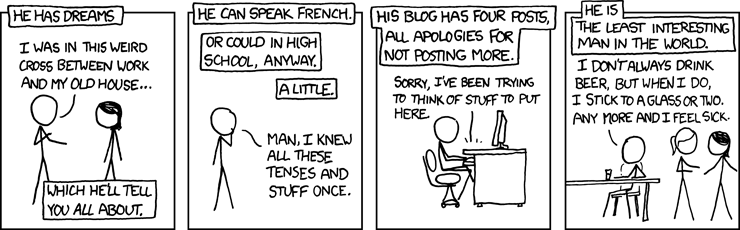
xkcd About Me?

Does Randall Munroe know me? Because this xkcd webcomic seems to be about me.

Stay while I recount the crazy TF2 kill I managed yesterday, my friends.

Well, not anymore, now that I have posted this.

Share
Posted in Uncategorized | Leave a comment

Print This Post Print This Post  

Auto-Upgrade to WordPress 2.8.3

I just managed to do a WordPress auto-upgrade for the first time in a while. When it didn’t work this time, I searched the WordPress support forums and found out that the .htaccess file had to be fixed for users of 1&1.

This blog is now running on WordPress 2.8.3. The Markdown plugin stopped working in a very strange way, so I updated to a different Markdown plugin. Then I had to change the “next/previous page” links, but now everything seems to work.

If you notice any errors on this blog, please let me know.

Share
Posted in Uncategorized | Leave a comment

Print This Post Print This Post  

New DrJava Beta Release: drjava-beta-20090803-r4975

We have made a new beta version available: drjava-beta-20090803-r4975. You can download it from SourceForge or from the DrJava homepage.

Available for download at http://drjava.org .

DrJava is a lightweight programming environment for Java designed to foster test-driven software development. It includes an intelligent program editor, an interactions pane for evaluating program text, a source level debugger, and a unit testing tool.

In addition to bug fixes in anticipation of the next stable release, this second beta release includes a number of new features introduced after the last beta release:

These features include the ability to associate source, project and add-on files with DrJava so that they can be opened by double-clicking on them in the Windows Explorer or MacOS Finder (.java, .drjava, and .djapp files).

The source browser was improved: Browse forward and backward like in a web browser!

Since there still is an incompatibility between Sun’s Swing GUI library and the the Compiz window manager on Linux, we now check for the presence of Compiz and display a warning.

Note: The default project file extension now is .drjava, not .xml anymore.

Note: Java 1.4 compatibility has been dropped with this release. To use DrJava, you will need Java 5 or newer.

New features:

  • File associations in Windows and Mac OS.
  • Improved source browser.
  • Display and select from all installed JDKs.
  • Reorganized Preferences dialog.
  • Compiz warning.
  • Interactions Pane parser allows annotations.
  • Completed support for nested classes (static and non-static) in Interactions Pane.

Bug fixes:

  • Bug fix for Icelandic keyboard to allow braces { } to be entered.
  • Miscellaneous Interactions Pane parser bug fixes.
  • Bug fixes in type checking in Interactions Pane.
  • Implemented qualified super expressions in Interactions Pane.
  • Fixed name resolution issues involving circular dependencies.
  • Small bug fixes for Language Level facility.
Share
Posted in DrJava | Leave a comment

Print This Post Print This Post  

Long Overdue Update

It is the end of July already. The last time I posted was early in May, and that was really just an alibi post as well. For the last two or three months, I’ve felt like an update is long overdue, and some of you, my readers, have let me know about this as well. I’m sorry to have made you wait so long.

Again, I feel like I have to make the comment that I didn’t write because I worked so much, not because there was nothing to write about. Blogging just has a very low priority for me right now.

Perhaps the biggest story is that Corky and I have published a paper together: ConcJUnit: Unit Testing for Concurrent Programs has been accepted at PPPJ 2009. The 7th International Conference on the Principles and Practice of Programming in Java will be held in Calgary, Canada at the end of August.

I’m quite excited about having this paper published, for two reasons: First, despite having worked with Corky for years now, this is actually the first paper we have co-authored. Second, I really only worked on the draft for four days before submitting it. On Monday night, April 20, I was at the Bill Bryson reading downtown, and when I was in line for autographs and checked my email, I saw a message from Corky that the PPPJ publication deadline had been postponed to Friday. He suggested that I submit something on unit testing concurrent programs.

Of course, right at that moment I thought “Four days? How am I supposed to do that?” and it seemed like a huge pain. But I decided I could pull a few things out of my thesis, enhance them a bit and give it a shot. Tuesday and Wednesday I experimented and added another feature to ConcJUnit, the concurrent unit testing framework I had developed, and Thursday and Friday I wrote the paper. It was rather short, a little under five pages, but I was happy with it. Friday night I almost got killed by a road-raged driver, but around 2 AM on Saturday night I submitted the paper (the submission deadlines are often on midnight at the international date line, i.e. 6 AM in Houston).

A few weeks passed while the paper was under review, but on June 5 we were notified that the paper had been accepted. I was in Finland at the time, so it was fortunate that the submission deadline of the camera-ready version had been postponed by a few weeks, so I didn’t have to work in Finland and could enjoy my vacation fully.

The other big story during the last half year was my work on Mint, a multi-stage extension of Java. This has been really interesting work. I was mostly involved in creating the implementation, creating sample programs and benchmarks, and writing some of the non-mathy parts of the paper. I’m still not nearly as quick thinking about many of the multi-stage constructs as some of the other researchers, but I’m getting there.

In the implementation, we started off with the OpenJDK compiler and added brackets (<| |> and <| { } |>), escapes (`) and the separable keyword. Brackets gets turned into a constructor call to a code object, and this code object contains an AST of the source inside the brackets. When a code object is run, we send the AST back into the compiler (at runtime!) and then call the created code.

This project felt a bit like a hack, like self-modifying code. It was great. I got a pretty good tour of the Java compiler too, more than I got to see with my xajavac experiments. We’re having some overhead from the compiler, but once that’s done we can speed up our code by factors of 5 to 20, depending on the benchmark. Explaining all these things in detail is too complicated here, so I’ll refer the interested reader to our technical report.

We first submitted a paper to GPCE 2009, but it got rejected. Initially I found this quite surprising, since I had so many strong collaborators, but it really came down to the wire with the submission deadline, and our paper still had many rough edges. Now we wrote the aforementioned technical report (which isn’t quite finished yet, actually, the appendix is still missing), and we submitted an improved version to POPL 2010. I dearly hope that the hard work of the last half year will pay off and reward us with a publication. I’ll probably continue to work on this for a bit, since I will probably be supported by Walid during the next year.

Something cool, although not significant from a professional point of view happened early this summer: Someone from VDM Verlag, a German academic publisher, contacted me and asked if I would like to publish my MS thesis as a book. It’s available on Amazon and other websites now. I have to stress that this is merely a republication of my MS thesis. There was no additional peer review beyond what my thesis committee did. As such, it should not be viewed as book or monograph, but it’s cool nonetheless:
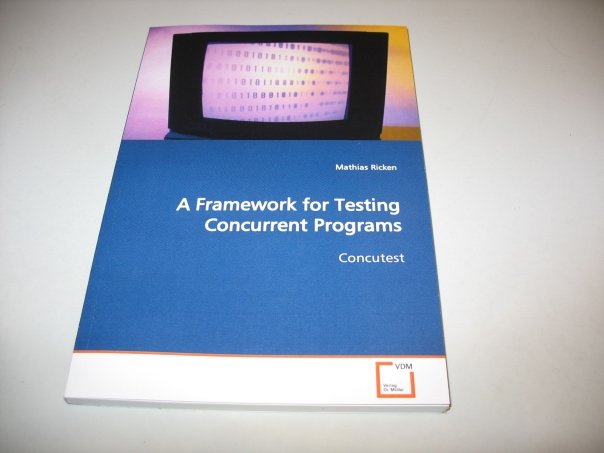
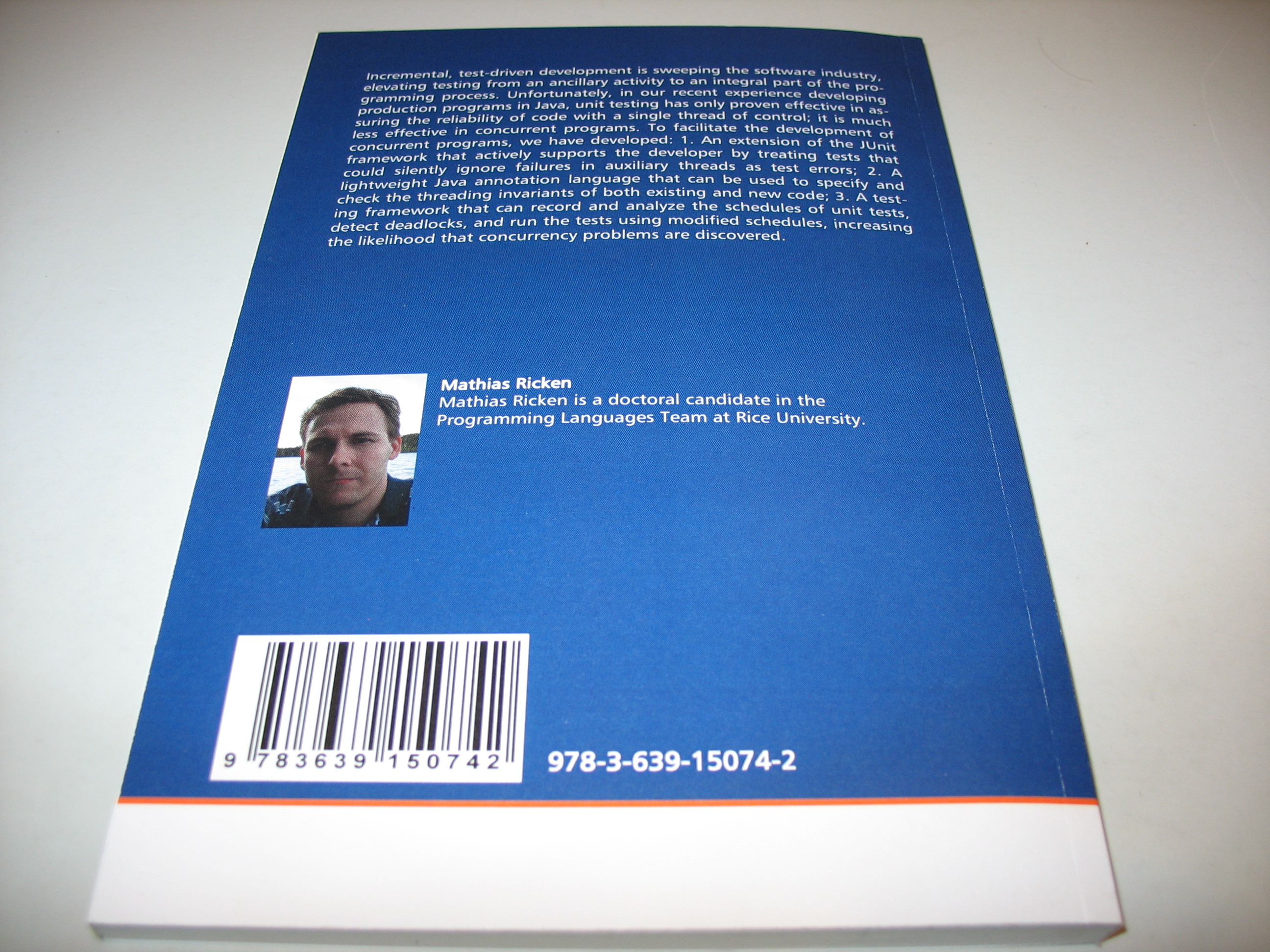
I republished my MS thesis in book form.

Nothing much has happened with DrJava since the last post. We made a few bugfixes and improvements, and we’re planning to push out a new stable version soon.

I’ll close with some very nice reviews I got in my COMP 402 teaching evaluation:

Great course that introduces coding on a well establish code base. Completely different type of programming than that of lower level COMP classes. Taught a lot of practical programming techniques.

The course is good if you want to practice in Java. And it’s awesome that you can do some real work in the development of a real software.

Knows the code base well and good at helping students without doing the work for them. The few lecturers were interesting and well presented. Good professor for this class.

This class was more of independent study. The teacher was ready to help on completing a task whenever you asked him to. I learned a lot about production programming as a whole.

Mathias is a good instructor. He is very helpful when we have some trouble in work. And he always replies email very quickly. He is a nice guy. In addition, he is really great in DrJava.

Thank you for the kind words, and thanks to the School of Engineering, the department chair Joe Warren, and my advisor Corky for giving me this opportunity.

Share
Posted in COMP402, Concurrent Unit Testing, DrJava, Graduate School, Mint, Pictures, Research, Uncategorized | Leave a comment

Print This Post Print This Post  

Tech Report: Multi-stage Programming for Mainstream Languages (TR09-02)

Multi-stage Programming for Mainstream Languages (TR09-02)
(local mirror)

Technical Report TR09-02, Department of Computer Science, Rice University

Multi-stage programming (MSP) provides a disciplined approach to run-time code generation. In the purely functional setting, it has been shown how MSP can be used to reduce the overhead of abstractions, allowing clean, maintainable code without paying performance penalties. Unfortunately, MSP is difficult to combine with imperative features, which are prevalent in mainstream languages. The central difficulty is scope extrusion, wherein free variables can inadvertently be moved outside the scopes of their binders. This paper proposes a new approach to combining MSP with imperative features that occupies a “sweet spot” in the design space in terms of how well useful MSP applications can be expressed and how easy it is for programmers to understand. The key insight is that escapes (or “anti quotes”) must be weakly separable from the rest of the code, i.e. the computational effects occurring inside an escape that are visible outside the escape are guaranteed to not contain code. To demonstrate the feasibility of this approach, we formalize a type system based on Lightweight Java which we prove sound, and we also provide an implementation, called Mint, to validate both the expressivity of the type system and the effect of staging on the performance of Java programs.

Share
Posted in Mint, Publications | Leave a comment

Print This Post Print This Post  

Paper: ConcJUnit: Unit Testing for Concurrent Programs

ConcJUnit: Unit Testing for Concurrent Programs

7th International Conference on the Principles and Practice of Programming in Java (PPPJ 2009)

In test-driven development, tests are written for each program unit
before the code is written, ensuring that the code has a
comprehensive unit testing harness. Unfortunately, unit testing is
much less effective for concurrent programs than for conventional
sequential programs, partly because extant unit testing
frameworks provide little help in addressing the challenges of
testing concurrent code. In this paper, we present ConcJUnit, an
extension of the popular unit testing framework JUnit that
simplifies the task of writing tests for concurrent programs by
handling uncaught exceptions and failed assertions in all threads,
and by detecting child threads that were not forced to terminate
before the main thread ends.

Share
Posted in Publications | Leave a comment

Print This Post Print This Post  

Book: A Framework for Concurrent Unit Testing: Concutest

A Framework for Testing Concurrent Programs: Concutest (Paperback)

Republished MS thesis. VDM Verlag

Incremental, test-driven development is sweeping the software industry, elevating testing from an ancillary activity to an integral part of the programming process. Unfortunately, in our recent experience developing production programs in Java, unit testing has only proven effective in assuring the reliability of code with a single thread of control; it is much less effective in concurrent programs. To facilitate the development of concurrent programs, we have developed: 1. An extension of the JUnit framework that actively supports the developer by treating tests that could silently ignore failures in auxiliary threads as test errors; 2. A lightweight Java annotation language that can be used to specify and check the threading invariants of both existing and new code; 3. A testing framework that can record and analyze the schedules of unit tests, detect deadlocks, and run the tests using modified schedules, increasing the likelihood that concurrency problems are discovered.

Share
Posted in Concurrent Unit Testing, Publications | Leave a comment

Print This Post Print This Post  

New DrJava Beta 20090505

I just released a new beta version of DrJava: drjava-beta-20090505-r4932. And auto-update worked like a charm for me…

Release Notes:

Available for download at http://drjava.org.

DrJava is a lightweight programming environment for Java designed to foster test-driven software development. It includes an intelligent program editor, an interactions pane for evaluating program text, a source level debugger, and a unit testing tool.

In addition to bug fixes, this beta release includes a number of new features introduced after the last stable release:

These features include default imports for the Interactions Pane, inner classes as main class for projects, Javadocs and auto-completion for JUnit, Javadocs and auto-completion for user-defined libraries (“Additional Javadoc URLs”).

An applet viewer is included, and classes that extend Applet can be run using the “Run Document as Applet” menu item (under “Tools”) or using the “applet MyClass” command in the Interactions Pane.

The debugger has been improved and now includes an automatic trace feature to step through the code at a user-determined interval, array element watches in the debugger, and the ability to debug language level files without seeing the Java code that they get translated to. The debugger also retains the imports that have been made before the last step was taken or a breakpoint was hit.

Notable is the ability to close the System.in stream in the Interactions Pane and an automatic update feature that downloads new versions of DrJava automatically.

The most important bug fixes include changes to the language level converter, compatibility with network paths, a debugger deadlock, and color preferences.

Note: Java 1.4 compatibility has been dropped with this release. To use DrJava, you will need Java 5 or newer.

Changes:

New features:

  • The System.in stream can be closed by pressing Ctrl-D when in the input box.
  • Imported classes and packages can persist over breakpoints and debugger steps. To enable or disable this, change the setting in the Debugger tab of the Preferences..
  • Default imports for the Interactions Pane.
  • Inner classes as main class for projects.
  • Javadocs and auto-completion for JUnit (3.8.2)..
  • Javadocs and auto-completion for user-defined libraries (“Additional Javadoc URLs”).
  • Automatic tracing in the debugger..
  • Array element watches in the debugger..
  • Automatic update feature (“Help/Check for New Version”).
  • Applet viewer.
  • Multiple key bindings per action.
  • Improved Jar creation dialog.
  • Find All/Replace All can be limited to a selected section of code

Bug fixes:

  • When the “java MyClass” command is used to start a program in the Interactions Pane, the command is not translated to “new MyClass().main(…)” anymore, but retained as “java MyClass”..
  • If DrJava is unable to restart itself, e.g. if the heap size is too large for the machine, DrJava asks the user if it should reset the configuration and try again..
  • Javadoc 6 is now linked correctly in the “Open Javadoc” feature..
  • Several bug fixes related to unit testing and the debugger..
  • “Open Java API Javadoc for Word Under Cursor…” has been fixed..
  • Better behavior for next/previous word and selection of word by double-clicking in Definitions Pane..
  • Fixed syntax highlighting and interpretation of long literals and hexadecimal literals.
  • Fixed problems with modal dialog boxes when the user switches to another application..
  • Fixed a memory leak..
  • Several language level fixes..
  • Filtered ASCII text when pasting..
  • Fixed network paths in projects..
  • Colors can now be configured again..
  • Documents that have been closed are not re-opened again if they contained failing unit tests..
  • Removed a deadlock when debugging unit tests..
  • Debugging language level files does not open the generated Java code anymore; line numbers in language level files are correct..
  • Closing a file does not remove all breakpoints and bookmarks anymore..
  • Fixed “No Test Cases” in Find/Replace panel.
  • Empty files are not considered “out of sync” anymore
    during JUnit testing
Share
Posted in DrJava | 1 Comment

Print This Post Print This Post  

I love yUML

I haven’t blogged in a long time again, and I don’t know when I’ll have the chance to update you about everything I have been doing. Aside from finishing COMP 402 and bringing DrJava to a state where we can create a new beta version, I have been working on two conference submissions, but since one of them isn’t submitted yet and the other one is currently in peer review, I want to remain silent about them for now.

I ran into a diagram generator website a few days ago, and today it came in very handy to quickly create AST diagrams. I must say I really love yUML.me. You can design diagrams just by writing a link. For example, the diagram below is dynamically created from the link

http://yuml.me/diagram/class/[JCMethodInv o.foo1().foo2()]method->[JCFieldA x.foo2()],
[JCFieldA x.foo2()]selected->[JCMethodInv o.foo1()], [JCMethodInv o.foo1()]method->[JCFieldA x.foo1()],
[JCFieldA x.foo1()]selected->[JCIdent o], [JCFieldA x.foo2()]name->[Name foo2],
[JCFieldA x.foo1()]name->[Name foo1]

yUML Diagram

Anyway, back to work on secret things ;-)

Share
Posted in COMP402, DrJava | Leave a comment

Print This Post Print This Post  

DrJava User Review

I found another very nice review of DrJava by a student taking Csc101 at an unnamed university:

Our teacher let us use Dr. Java as a working environment for our Computer Science 101 class last semester (S.Y. 2008-2009). So far, it is the best programming environment that I’ve used. I have tried Turbo Pascal and Borland Delphi when I was still in high school. Though they are very easy to learn and good for beginners, their functins are quite inefficient in the long run. There are a lot built-in functions in Java that can’t be found in Pascal and Delphi.

Though Java has several programming environments, I find Dr. Java as the easiest one to use since it is so quick to debug the codes. In the ‘Interactions’ pane, I can easily test whether my program is doing what I want it to do. Also, I can easily determine whether a compile-time, run-time or logical error is occurring.

Dr. Java however, is limited to some programs related to recursion or looping. As what my teacher explained, Java could not hold such functions because it already involves filling in memory of the computer. If the program gets heavier as the loop runs all throughout, the process becomes slower.

Despite this, Dr. Java is one useful tool in object-oriented programming (this is so far, our topic in CSc101). There is a display pane where I can access the previous classes that I want to connect with the one I’m working at. Handy at only a small bit size, I have a copy of it in my flash drive. It’s going to be useful especially now that I’m taking BS Computer Engineering course. =)

Rating: 9

Share
Posted in DrJava | Leave a comment

Print This Post Print This Post  

DrJava Automatic Update Feature

I just made a new DrJava development release. You can download
drjava-20090402-r4864 from SourceForge.

The latest feature I’ve added is automatic update, which enhances the “Help/Check for New Version” dialog we’ve had for a while. If DrJava detects that there is a newer version available on SourceForge, then it gives the user the choice of an automatic update or a manual download.

For the automatic update, DrJava determines from where on the user’s computer it was started from and what kind of file it was (*.jar, *.exe or a Mac DrJava.app). It then downloads the corresponding file from the newest release. To actually replace the existing file, DrJava now starts a helper process in the temporary directory and shuts down. The helper copies the downloaded file onto the old file (if possible) and then starts the new version, which deletes the helper files in the temp directory.

By default, this is done once a week, but only beta and stable releases are suggested. The user can change the frequency, though, and also change the dialog to consider development releases.

Of course I would like you all to try this feature out on your computers. However, because the new version will not detect itself as a new version and you probably don’t want to wait until we make the next release, I have made a simulator available that always detects a new version.

Please download and execute that simulator, go to the “Help” menu and select “Check for New Version”. Make sure that the combo box says “Check for: all versions” so you download the latest developer version, not the latest stable version. Then click on “Automatic Update”. DrJava should then display a progress dialog as it downloads, potentially ask you if you want to quit, and then restart, as if nothing had happened. But now
you have the latest version!

Please let me know how this is working on your systems. I am looking forward to your comments and questions.

Other new features:

  • Default imports for the Interactions Pane
  • Inner classes as main class for projects
  • Javadocs and auto-completion for JUnit (3.8.2)
  • Javadocs and auto-completion for user-defined libraries (“Additional Javadoc URLs”)
  • Automatic tracing in the debugger
  • Array element watches in the debugger

Bug fixes in this release:

  • “Open Java API Javadoc for Word Under Cursor…” has been fixed.
  • Better behavior for next/previous word and selection of word by double-clicking in Definitions Pane
  • Fixed syntax highlighting and interpretation of long literals and hexadecimal literals
  • Fixed problems with modal dialog boxes when the user switches to another application.
  • Fixed a memory leak.
  • Several language level fixes.
  • Filtered ASCII text when pasting.
  • Fixed network paths in projects.
  • Colors can now be configured again.
  • Documents that have been closed are not re-opened again if they contained failing unit tests.
  • Removed a deadlock when debugging unit tests.

I have to thank my great team members in my COMP 402 class for getting so much done!

Share
Posted in Uncategorized | Leave a comment

Print This Post Print This Post  

Dumb Email of the Day

We just received the following email on our mailing list:

[DRJAVA-L] Hi, I am a user of JAVA. I found a big bug!

HI,
I am a student in CWRU. Now, I am studying JAVA. Compared to
Program C. I found that java have more changing. however, it is
something no good. Just like the code here:

String a="anjof";
char[] b=a.toCharArray();
b[2]='\\0';
String n=new String(b);
System.out.println(n);

what do you think it will print out? Actually, it print “an of”! I am
very shocked of this? Do the java maker know the difference
between ‘\0’ and ‘ ‘? I think this is a serious problem.

Why are we even getting this email? My response:

Java does not use null-terminated strings like C does. This is the
expected behavior in Java, and in C++ too, if you are using C++
std::string. The behavior is dependent on the language you are using.
Java is not C.

Furthermore, we are the developers of DrJava, not Java itself. Java is
developed by Sun. If you feel like you have discovered a bug in Java,
please contact Sun.

Share
Posted in DrJava | Leave a comment

Print This Post Print This Post  

Improved Javadoc and Auto-Completion Features for DrJava

A few days ago I committed some changes to DrJava, and honestly, I think they’re the best thing since sliced bread (and by “sliced bread”, I mean “Find All” or “Go to File” or perhaps the original “Open Java API Javadoc”).

The new features make the JUnit 3.8.2 Javadoc available for “Open Java API Javadoc” (Shift-F6), “Open Java API Javadoc for Word Under Cursor” (Ctrl-F6 or Apple-F6), and for auto-completion (Ctrl-Shift-Space or Apple-Shift-Space). The URL can be entered in the Javadoc preference
pane. Since the Javadoc for this version is not available at junit.org anymore, I have made them available at
http://www.cs.rice.edu/~javaplt/javadoc/junit3.8.2/, and I use that as default URL. To speed things up and allow DrJava to use the class names for code completion even without internet connection, the index of the classes is included with the drjava.jar file.

There is also a list of URLs (“Additional Javadoc URLs”) where additional Javadoc URLs can be entered and which will also be parsed and used for “Open Java API Javadoc” and auto-completion. Unless these specify file:// URLs on the local hard drive, network access will be required to retrieve the index of the class files, but DrJava fails gracefully if it cannot acquire network access.

To try out this feature, you can add the URL http://drjava.org/javadoc/drjava to the “Additional Javadoc URLs” in
the Javadoc preference pane, and then enter MainFr in the Definitions Pane. Press Ctrl-Shift-Space (or Apple-Shift-Space on Macs) to auto-complete the word, and DrJava will suggest MainFrame and MainFrameTest. Pick one of them and press Enter. DrJava will auto-complete the word. Now press Ctrl-F6 (or Apple-F6 on Macs) with the cursor on the word, and DrJava will open the corresponding Javadoc page.

The auto-completion and Javadoc features have bin in DrJava for nearly two years, by the way, but we have now added the ability to use user-specified Javadoc libraries.

Share
Posted in DrJava | Leave a comment

Print This Post Print This Post