Yes I Can, Says Android

When I use Android’s speech-to-text to enter my name, I get “Matt yes I can.” I like it!

Although I’m still looking for replacements of the incredibly shoddy SplashData applications SplashMoney and SplashID, which constantly crash on Android, I am very happy with my Android phone.

Share
Posted in Uncategorized | Leave a comment

Print This Post Print This Post  

DrJava Build and Release Instructions

As part of our knowledge (back) transfer, I wrote up these instructions for creating a fresh build of all parts of DrJava and then making a new release on SourceForge.

Note: Our build process is currently broken for Windows machines (see
“instructions below for building just DrJava”, step 6, “Make the
release and put it into Subversion”.)

  1. Check out trunk (svn co https://drjava.svn.sourceforge.net/svnroot/drjava/trunk), or if you have trunk checked out, update it.
  2. cd drjava
  3. ant clean jar
  4. cd ../platform
  5. export DRJAVA_JAR=../drjava/drjava.jar
  6. ant clean compile-??? jar

    Note: Which compile-??? targets you can run depends on the platform
    you are compiling on. You need to be on a Mac to run compile-mac and
    on Windows to run compile-windows. Since the compiled classes are
    stored in Subversion, you can always do

    ant clean jar

    to just get all the class files without recompiling.

  7. cp platform.jar ../drjava/lib
  8. cd ../plt
  9. ant clean test jar
  10. Copy the generated new plt.jar file over all other plt.jar files.
    This can be done using

    find .. -name plt.jar -not -samefile plt.jar | xargs -n 1 cp -v plt.jar

  11. cd ../dynamicjava
  12. ant clean test jar-base
  13. cp dynamicjava-base.jar ../drjava/lib
  14. cd ../javalanglevels
  15. ant clean test jar-base
  16. cp javalanglevels-base.jar ../drjava/lib
  17. cd ..
  18. Continue with the instructions below for building just DrJava, but not
    plt.jar, etc. from scrach.

Building the DrJava application (not the libraries) and making a new release:

  1. cd drjava
  2. Create the release locally. It’s a good idea to do this first, without touching Subversion or SourceForge. To create a development release:
    ant clean release-local
    To create a beta release:
    ant clean release-local-beta
    To create a stable release:
    ant clean release-local-stable
  3. This cleans, compiles, runs the unit tests, builds the jar, exe and
    Mac application, and it also generates the Javadoc and a zip file with
    source code.
  4. It makes sense to test the three different variants of DrJava: Run
    the jar on some platform, run the exe on Windows, and run the Mac
    application on a Mac, because sometimes one of them may be corrupted.
    This can has happened sometimes for the exe file when building on a
    Mac, or for the Mac application when building on Windows or Linux.
  5. ant clean
    This deletes the locally built release again.
  6. Make the release and put it into Subversion. Run one of:
    ant release
    ant release-beta
    ant release-stable

    You may want to add -Dtest-repeat=0 to the command line (e.g. ant
    -Dtest-repeat=0 release
    ). That tells Ant not to run the unit tests.
    You can leave it out, but we just ran the unit tests, so it should not
    be necessary to run them again.
    Note that this step may ask you for your SourceForge password if you
    have never committed code to Subversion from the computer you are
    working on.

  7. The build script will now create a “tag” of DrJava that will
    contain exactly the source code versions and libraries used to build
    this release of DrJava. This is useful in analyzing bugs that users
    report in a specific version.
  8. Make note of that tag. It should be something like this:
    drjava-20110205-r5425
  9. To upload files to SourceForge, we will follow this guide written by SourceForge. I find that using SFTP is the easiest.
  10. Log into SFTP. In the following command, replace <username> with your SourceForge username:
    sftp <username>,drjava@frs.sourceforge.net
    Example: sftp mgricken,drjava@frs.sourceforge.net
  11. On the SFTP server: cd /home/frs/project/d/dr/drjava
  12. If you are building a stable or beta release, type:
    cd "1. DrJava Stable Releases"
    If you are building a development release, type:
    cd "2. DrJava Development Releases"
  13. Create a directory with the name of the tag from step 8 above.
    Example: mkdir drjava-20110205-r5425
  14. Change into that directory.
    Example: cd drjava-20110205-r5425
  15. Upload the files. You can do that with the command:
    put <tag>*
    Example: put drjava-20110205-r5425*
  16. Exit SFTP:
    exit
  17. Browse to DrJava’s SourceForge site at
    http://sourceforge.net/projects/drjava/develop and log in.
  18. Click on the “Files” tab (or go to
    https://sourceforge.net/projects/drjava/files/).
  19. Click on 1. DrJava Stable Releases or 2. DrJava Development Releases, find the tag, and enter that directory. You should see the
    files you uploaded.
  20. Click on the (i) (Info) button next to the exe file, check the
    Windows checkbox, and press save.
    Click on the (i) (Info) button next to the Mac application, check the
    Mac checkbox, and press save.
    Click on the (i) (Info) button next to the jar file, check all the
    other checkboxes (except Windows and Mac), and press save.
    This step changes the default download on DrJava’s SourceForge page
    (in the “Download Now!” button on https://sourceforge.net/projects/drjava/). People downloading
    directly from the SourceForge page will start getting the new release.
  21. Prepare the release notes text file called readme.txt. I start
    with a template that looks like the one below. To determine the lists
    of new features and bug fixes, you can look up the revision number of
    the last release you’re comparing to, and then you can go through the
    Subversion log and look at the descriptions of the commits, which
    should hopefully be good enough to tell you what was done. Unless the
    last version was a stable release, I usually include a comparison to
    the last stable release as well, which is easy to create just by
    copying and pasting the lists from individual release notes together.


    Available for download at http://drjava.org  .
    
    DrJava is a lightweight programming environment for Java designed to
    foster test-driven software development. It includes an intelligent
    program editor, an interactions pane for evaluating program text, a
    source level debugger, and a unit testing tool.
    
    In addition to bug fixes, this  release
    includes a number of new features introduced after the last
     release:


    Note: Java 1.4 compatibility has been dropped. To use DrJava, you will
    need Java 5 or newer.
    
    
    New features since the last  release:
     - list of new features since the last beta/development release


    Bug fixes since last  release:
     - list of bug fixes since the last beta/development release


    New features since the last stable release:
     - list of new features since the last stable release


    Bug fixes since the last stable release:
     - list of bug fixes since the last stable release
    

  22. On the DrJava SourceForge page, upload the release notes into the
    new release’s folder. You can do that either using SFTP again or using
    the web upload by clicking on “Add File”. I just find that SFTP works
    better for uploading the multiple large files earlier in step 15.
  23. On the DrJava SourceForge page, hover over “Develop” and click on
    “News” (or go to https://sourceforge.net/news/?group_id=44253, but that link has changed frequently). Click on “Submit” and paste the contents of the readme.txt file into the “Details” part. In the “Subject” line, I usually put something like “DrJava Development
    Release 20110205-r5425”. Press “Submit”.
  24. Send an email to the following addresses: drjava@rice.edu,
    drjava-hackers@lists.sf.net, drjava-users@lists.sf.net
  25. I use the same text that was used in step 23 for the SourceForge news,
    but I let the following text precede the email:


    Dear DrJava Users:
    
    We have made a new <stable/beta/development> version available: <tag>
    
    You can download it from the DrJava website at http://drjava.org/
    or from SourceForge.net by following this link:
    
    <link>
    
    You receive this email because you have subscribed to a DrJava mailing list.
    

    Replace the <link> part with the link to the SourceForge page that has
    the files for this release, i.e. the website you navigated to in step
    19. Example: https://sourceforge.net/projects/drjava/files/2.%20DrJava%20Development%20Releases/drjava-20110205-r5425/

  26. SSH into CSnet as javaplt (e.g. ssh javaplt@finland.cs.rice.edu).
  27. cd ~/public_html/drjava
  28. Run the drjava-update-news script. This pulls the SourceForge news
    onto the DrJava website. Note that for now, this only happens on our
    CSnet mirror at http://www.cs.rice.edu/~javaplt/drjava/
    drjava-update-news
  29. Edit the LATEST_DEV_VERSION.TXT, LATEST_BETA_VERSION.TXT or
    LATEST_VERSION.TXT file, depending on whether you have a development,
    beta, or stable version. Put the new tag into the file. Make sure
    there is no newline at the end of the file!
  30. If you made a stable release, you will want to remove the download
    links for the beta and development releases. Edit main.shtml and
    change the line

    <!--#include virtual="beta.shtml"-->

    to

    <!--include virtual="beta.shtml"-->

    and

    <!--#include virtual="devrelease.shtml"-->

    to

    <!--include virtual="devrelease.shtml"-->

    If you made a beta release, you want the hash mark for the #include of
    the beta.shtml file, but not for the devrelease.shtml file. If you
    made a development release, you probably want the hash mark for the
    devrelease.shtml file, but not for the beta.shtml file.

  31. Do a similar thing as in step 29 for download.shtml. The
    corresponding lines are

    <!--include virtual="beta_long.shtml" -->

    and

    <!--include virtual="devrelease_long.shtml" -->
  32. Go to http://www.cs.rice.edu/~javaplt/drjava/ and check that the
    download buttons link to the right files, the ones that you have just
    released. It’s a good idea to download them all and run them, to make
    sure there were no upload errors.
  33. Delete backup files:
    rm *~
  34. Copy the website to the SourceForge server using the
    drjava-cs-to-sf script. Note that it may also update Javadocs, test
    coverage, and other files.
    drjava-cs-to-sf
  35. That’s it! Thanks for helping make DrJava even better.
Share
Posted in DrJava | Leave a comment

Print This Post Print This Post  

Firewall and Port Forwarding on a Netgear DGND3300v2?

My apt building was struck by lightning Monday afternoon, and that fried half the building, apparently. Power was off for a day, the elevator is broken, and it killed my DSL modem and an ethernet card, even though both were behind surge protectors and UPSes. I just got a DGND3300v2 DSL modem/router to replace the dead 2Wire HomePortal 2700, and I’m setting up my firewall.

Do I have to enter the IP address of the computer in the LAN manually? I use DHCP and the IP can change. The HomePortal allowed me to assign firewall rules to a MAC. The same problem occurs with port forwarding.

Is that not possible with the DGND3300v2?

PS: The lack of gigabit ethernet on a product of this price is a sore disappointment, too.

Update

IP addresses can be reserved for MACs under router login > LAN setup> address reservation.

Update 2

Except in the latest firmware, V2.1.00.48_1.00.48NA, you can’t. Address reservation doesn’t work because of a Netgear bug *sigh*

Share
Posted in Uncategorized | Leave a comment

Print This Post Print This Post  

Even More Android

I’ve noticed that SplashID crashes as well. I think I will try to find a replacement and than ask SplashData for a refund. $60 for this collection of fail is way too much.

Jorte is pretty nice as a calendar, but I still haven’t found one that allows me to enter time zones. Do Android users not travel?

On the other hand, Astrid is a pretty good task planner, and I think I’m getting the hang of Swype. I just wish the virtual keyboard were a little bigger. Using Swype is definitely faster than typing letter by letter, but the physical keyboard on the Palm Treo was better… at least before it broke. I should just get over it.

Share
Posted in Uncategorized | Leave a comment

Print This Post Print This Post  

New DrJava Development Release: drjava-20110205-r5425

We have made a new development release available: drjava-20110205-r5425. You can download it from the DrJava website or from SourceForge.

Available for download at http://drjava.org .

DrJava is a lightweight programming environment for Java designed to foster test-driven software development. It includes an intelligent program editor, an interactions pane for evaluating program text, a source level debugger, and a unit testing tool.

In addition to bug fixes, this development release includes a number of new features introduced after the last stable release:

The language level facility has been changed to consist of two language levels, Functional Java (corresponding to the old Intermediate level) and Full Java. The old files can still be compiled, but DrJava will ask if it should rename .dj0 and .dj1 to .dj and .dj2 files to .java.

DrJava’s compiler support has been improved, and DrJava now supports compiling files with file extensions other than .java, .dj, .dj0, .dj1, and .dj2. This includes support for Habanero Java .hj files, provided the Habanero Java compiler is installed.

DrJava preferences like indent level can now be stored on a per- project basis (see “Project Properties”, “Advanced”).

Note: Java 1.4 compatibility has been dropped. To use DrJava, you will
need Java 5 or newer.

New features since the last stable release:

  • refactored language levels
  • improved compiler support, including support for Habanero Java
  • The contents of the Compiler Errors pane can now be copied the clipboard.
  • DrJava preferences like indent level can now be stored on a per-project basis (see “Project Properties”, “Advanced”).

Bug fixes since last stable release:

  • Applet viewer not started in event thread anymore to avoid exception
  • Static type checking for primitive casts in Interactions pane
Share
Posted in DrJava | Leave a comment

Print This Post Print This Post  

More Android

I have found that SplashID is buggy too. It crashes every other time I start it. I guess it’s time to say goodbye to SplashData. They don’t have their act together anymore.

I found Jorte to be a pretty good calendar replacement, although I’m not happy with the way time zones are treated. What good is a calendar if I have to convert times in my head?

I do have my calendar items and contacts on my phone again now, so I feel less amputated now anymore.

The turn-by-turn navigation is pretty cool. It uses a lot of battery though, so I need to get a car charger.

I’m writing this using the Android WordPress app, by the way. It avoids having to scroll and zoom the website in the browser.

Share
Posted in Uncategorized | Leave a comment

Print This Post Print This Post  

Muscle memory + Gmail = Embarrassing

How embarrassing. Gmail’s auto-completion changed for me today because I merged contacts on my Google and phone accounts. I frequently forward emails to “me” to have them stored on my private email as well, but “me” wasn’t me anymore. Instead, all the emails that I sent went to someone else (mexxx@xxxx.xxx) today.

I desperately need to re-train my muscle memory. I didn’t notice this until just now, 10 hours after the auto-completion changed.

Share
Posted in Uncategorized | Leave a comment

Print This Post Print This Post  

SplashMoney for Android 4.7.6 – What a Disappointment

I had used SplashMoney for Palm for years, and it was a fantastic product. When I got my new HTC EVO Android phone, getting SplashMoney was the first thing I did. Oh, what a disappointment that was.

  1. The program crashes, most of the time right after I enter my password.
  2. The program is slow–I have a new EVO, but it takes seconds for an account to open, even though that was immediate on my 3.5 year-old Palm Treo 755p.
  3. Why can’t I resize the columns?
  4. Why can’t I select what columns to show?
  5. Why can’t I change the sort order?
  6. Where do I set up my scheduled transactions?
  7. Where do I see the upcoming transactions?
  8. I really need to have my desktop SplashMoney application running to synchronize? How pedestrian. There has to be a better way.
  9. And the desktop sync most of the time doesn’t even find the desktop application anyway.

This program is a real shame. It’s unusable. I’m tempted to ask for my money back, but that doesn’t get rid of how disappointed I am. This is not SplashMoney, it’s TrashMoney. And there are so many problems with this piece of software, as is apparent from this forum, that it’s surprising that the latest version is two months old.

What’s going on, SplashData? What are your release plans? What bugs do you promise to fix, by when? What missing features do you promise to deliver?

Or do I really need to ask for my money back and look for a different product?

Share
Posted in Ramblings | Leave a comment

Print This Post Print This Post  

HTC EVO Phone

Yesterday I ended up buying a new phone. It was a pretty difficult decision, and I’m not nearly as sure that I made the right decision as when I bought my Palm Treo 755p over three years ago.

Initially I had planned to buy a BlackBerry because it is great with text, and text is what I do. However, I got the feeling that BlackBerry OS had started to fall behind, and I didn’t want to replace an old phone with one that was also already on the way out. It also seemed like I wouldn’t be able to customize the phone as much. BlackBerries look like they have exactly one way of doing things. And I figured I would miss the touch screen.

I didn’t really want to buy a Korean phone (“Buy North American or European!”), but there isn’t much else left. So it came down to the Samsung Epic and the HTC EVO. I liked the idea that the Epic had a physical keyboard, but it turned out to not be so good. I’m also always a bit skeptical of devices with hinges. The user interface of the HTC phones also look better. So the HTC EVO it was.

Getting the new phone involved upgrading from the SERO 500 plan for $30 a month to SERO Premium for $40/mo plus $10/mo 4G data surcharge. But $50 a month before taxes isn’t bad for an unlimited everything plan.

There are many things the EVO does very well. Watching YouTube videos use great. Browsing the web is amazing. Reading RSS feeds and listening to podcast is slick. And in landscape-mode, even writing this blog post with the on-screen keyboard is enjoyable.

I have experienced a few downsides too, though. The SplashMoney application for Android is terribly slow, almost unusable. And for both SplashMoney and SplashID, the desktop sync is a lot worse than for the Palm. But maybe that will improve.

Share
Posted in Uncategorized | 1 Comment

Print This Post Print This Post  

What Phone to Get?

I really don’t know what phone I should get to replace my trusted Palm Treo 755p. I really think there won’t be a phone that can match its utility. It’s not a flashy phone (my friends call it “the brick”), but it’s useful. It has a great keyboard, at least before it started to break down after 3 years of use. It is customizable. Palm OS lets me do pretty much anything. It can do tethering. It has physical buttons to access common functions, so much quicker to use than just a touch screen. I can use it in my sleep. But it also does have a touch screen…

But I do need a new phone. The keyboard has been giving me trouble (the 1, 4 and i keys are bad), and obviously it’s not being maintained by Sprint or Palm anymore. My battery is also giving up, and I don’t really want to buy a new battery for an old phone. So, what phone to get?

I’ve been considering the BlackBerry Curve 9330 and the BlackBerry Bold 9650. It seems like the main advantage of the Curve is the price: $49 for the Curve, $199 for the Bold. But the Bold supports GSM networks, so I could use it when I’m in Europe, too. (But would I want to? International roaming is really expensive, and I have a phone that works in Europe. I just need to carry two phones.) The camera is also supposed to be better on the Bold. I was told by a Sprint store employee that the Bold does not have BlackBerry OS 6, but that appears to be incorrect.

On the other hand, while I like the BlackBerry keyboards, I think I may miss the touch screen a bit (even though I’m very much a physical keyboard person), and it seems like BlackBerries aren’t as customizable. So maybe Android? But the only decent Android phones are all Korean. Bleh.

The Samsung Epic 4G has a supposedly good slide-out keyboard. The HTC EVO 4G has a huge screen. Most people say they stop using a physical keyboard and start using Swype. Both apparently have Android 2.2 now. When it comes to battery live, I hear mixed reports. Both Android phones are $199 for Sprint.

I think I like Android better than BlackBerry OS, but I haven’t played with Android enough yet. Another downside (at least financially) is that the Android devices are 4G phones that require an additional $10 monthly charge.

There is a bit of urgency, since there may be another $10 monthly charge for unlimited data usage beginning on January 30, 2011, although I have read reports that this does not apply to SERO Premium plans.

I think I’ll have to go back to the Sprint store and play with the Android phones.

Update

Here’s a feature matrix:

FeatureBlackBerry CurveBlackBerry BoldHTC EVOSamsung Epic
Price+ $49- $199- $199- $199
GSM+
Keyboard+++
Touch screen++
Android++
BlackBerry OS 6++
Outlook Sync+++ (?)
Google Sync??++
Share
Posted in Uncategorized | Leave a comment

Print This Post Print This Post  

Tricky Computer Repair

I’m finally making some progress on a tricky computer repair I’ve been dealing with in my downtime basically this entire past week. The 10.5-year-old Pentium II computer that I have been using as web and media server in my home office started acting up. Initially, there were some kind of boot problems that made doing any disk access on the computer painfully slow. And I mean painfully. It would take days to open a folder. I haven’t figured out what it was, and repairs were impeded by the fact that the computer either rebooted straight away when booting in Safe Mode, or hanging with a blue screen when running Windows XP setup from the boot disk.

I decided to take out my SATA card, which allowed me to reinstall Windows. I was then finally able to make backups of most disks two days ago, but one of my drives had mysteriously shrunken from 250 GB to 33 GB. I found out that’s one of the magic BIOS capacity thresholds, but I couldn’t figure out how to reset the capacity. All tools I could find failed to reset the “host protected area” or change the “max LBA” values.

Today I finally found an old version of Seagate DiscWizard Starter Edition. It allowed me to remove the dynamic disk overlay that was there (unnecessarily, it seems) and change the “max LBA” to its native value. While I’m at work now, my computer is backing up those contents, and then I plan to wipe the drives and put my old drive image back on the system drive.

Computers. Helping you solve problems you wouldn’t have without them.

PS: I thought about just replacing the old computer, but it still works. After over a decade.

Share
Posted in Uncategorized | Leave a comment

Print This Post Print This Post  

Review for iConcept Press

I just finished the review of the book chapter I had agreed to do for iConcept Press. It was an interesting survey chapter, written by non-native speakers of English, about a topic I’m familiar with, but on which I am by now means an expert. I therefore recommended acceptance with medium confidence.

Most of my comments were about spelling or grammar mistakes, or suggestions on how to reword parts to make the intention clearer. I don’t know the literature well enough to determine if important references are missing (the authors definitely cited most of their own work), but I did find that it completely ignored one part that it alluded to several times: There is a different way of specifying the way these systems work, and the way it is different from the currently prevalent approach was briefly mentioned, but the consequences, advantages, and disadvantages are completely omitted. Perhaps they haven’t been studied yet, in which case that should be stated, but otherwise I would like to see such a discussion.

Unfortunately, I don’t think this exercise of mine will get us any more information on whether iConcept Press is just a vanity press. I don’t see reviews by others, and there is obviously no program committee meeting to discuss the paper. Even if I had rejected the paper, acceptance wouldn’t tell us anything. The only interesting outcome would be if the paper were rejected in spite of my recommendation to accept.

Should I contact the editor or the authors? What would I ask? I can’t exactly ask “is this a vanity press?” or “why are you putting USD 626 into this?”

Update:

At least the editor has renamed the book from “Java in Academic and Research” to the more parallel “Java in Academia and Research,” although I still wonder why we need academia and research and not academia and industry.

Share
Posted in Ramblings | Leave a comment

Print This Post Print This Post  

Gmail Account Lockdown

Oh great…

Account Lockdown: Unusual Activity Detected

This account has been locked down due to unusual account activity. It may take up to 24 hours for you to regain access.

And all I did was send 86 MB of vacation pictures spread out across 21 emails. I hope my Gmail access gets restored quickly. It feels like a part of me has been amputated.

Update:

My access was restored, just about 15 minutes later. Thank you, Gmail team!

Share
Posted in Uncategorized | Leave a comment

Print This Post Print This Post  

Passed My Defense

Passed My Defense

Passed My Defense

Share
Posted in Pictures | Leave a comment

Print This Post Print This Post  

PhD Defense: A Framework for Testing Concurrent Programs

A Framework for Testing Concurrent Programs
(Presentation, PowerPoint, PDF)

Rice University
Department of Computer Science

Presents

Mathias Ricken

Ph.D. Thesis Defense

Title: A Framework for Testing Concurrent Programs

Date: January 10, 2011
Time: 9 AM
Location: Duncan Hall 3076


Abstract:

This study proposes a new framework that can effectively apply unit
testing to concurrent programs, which are difficult to develop and
debug. Test-driven development, a practice enabling developers to
detect bugs early by incorporating unit testing into the development
process, has become wide-spread, but it has only been effective for
programs with a single thread of control. The order of operations in
different threads is essentially non-deterministic, making it more
complicated to reason about program properties in concurrent programs
than in single-threaded programs. Because hardware and operating
systems influence the order in which operations in different threads
are executed, debugging is problematic since a problem often cannot be
reproduced on other machines. Multi-core processors, which have
replaced older single-core designs, have exacerbated these problems
because they demand the use of concurrency if programs are to benefit
from new processors.

The existing tools for unit testing programs are either flawed or too
costly. JUnit, for instance, assumes that programs are single-threaded
and therefore does not work for concurrent programs; ConTest and
rstest predate the revised Java memory model and make incorrect
assumptions about the operations that affect synchronization.
Approaches such as model checking or comprehensive schedule-based
execution are too costly to be used frequently. All of these problems
prevent software developers from adopting the current tools on a large
scale.

The proposed framework (i) improves JUnit to recognize errors in all
threads, a necessary development without which all other improvements
are futile, (ii) places some restrictions on the programs to
facilitate automatic testing, (iii) provides tools that reduce
programmer mistakes, and (iv) re-runs the unit tests with randomized
schedules to simulate the execution under different conditions and on
different machines, increasing the probability that errors are
detected.

The improvements and restrictions, shown not to seriously impede
programmers, reliably detect problems that the original JUnit missed.
The execution with randomized schedules reveals problems that rarely
occur under normal conditions.

With an effective testing tool for concurrent programs, developers can
test programs more reliably and decrease the number of errors in spite
of the proliferation of concurrency demanded by modern processors.

Share
Posted in Publications | Leave a comment

Print This Post Print This Post  

Scrum for COMP 402?

I went to a talk on Scrum yesterday, and it was very interesting. Scrum is an agile software engineering methodology, similar to Extreme Programming.

It features a list of externally visible features that need to be implemented, the product backlog. At the beginning of a sprint, which often lasts a month, the developers estimate which features they can implement during this sprint. Then they break the features down into tasks that need to be done.

Each task has a cost associated with it (basically the time it takes to implement, but it’s not really any real time span, rather something abstract, like jelly beans). The tasks are written on sticky notes.

During the daily Scrum stand-up meeting, all developers say what they did yesterday, what problems they had, and what they are going to do today. If they are out of tasks, they pick new sticky notes. If they are still working on the previous tasks, they re-estimate how much time is left for those tasks.

I really think that I should have taught COMP 402 using some kind of Scrum. A month-long sprint would have been too long, probably, and the class only met three times a week, but we probably could have done three week sprints?

Has anyone taught a software engineering/production programming class that used Scrum?

Share
Posted in COMP402, Ramblings | Leave a comment

Print This Post Print This Post  

Is iConcept Press Legitimate? A Review

I received a review invitation for an article to be published in one of iConcept Press‘s journals today. I already wrote about iConcept Press earlier, when I wondered whether it was a vanity press. Considering the cost of publishing there, I still think it is a vanity press, but I’m willing to put up the effort of submitting a review to learn more.

I won’t submit a bad review if the paper turns out to be good, or even acceptably mediocre. I will perform an accurate review. Of course, that means we still may not find out whether iConcept Press is a vanity press or not.

I also won’t publicly disclose the authors or parts of the paper I am reviewing. I can tell you already, though, that the review is not double-blind. I know who the authors are. I wonder if or when they will find out that I reviewed the paper.

Happy new year!

Share
Posted in Ramblings | 1 Comment

Print This Post Print This Post  

COMP 410 Final Presentation

The guys of COMP 410 had their final presentation last Wednesday. They got some pretty tough questions, and the state of the final product was not as polished as I would have liked it to be, but I think they pulled of something interesting. This is even more true since the cloud framework they were using was brand-new, not well documented, and not at all intended for this kind of processing.

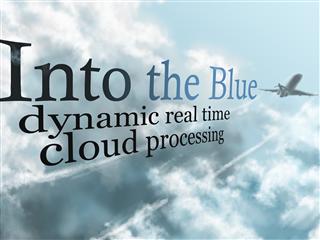
Into the Blue COMP 410 Project

The comments were mainly about the lack of an interesting, impressive demo that actually requires the cloud and that cannot just be run on one machine. That is a very valid point, but one has to keep in mind that the class was very small, and there was quite a bit of learning and programming involved for a group of four students.

All four of them say that they learned a lot, and that even their interviewing skills improved because of their experience in COMP 410. I think that alone probably makes the class already worthwhile. I’m definitely glad I was able to be a part of it.

Some (blurry) pictures of the students’ presentation. I noticed it was recorded on video. I’ll try to find out where that video can be accessed.

Share
Posted in Pictures, Teaching | Leave a comment

Print This Post Print This Post  

PhD Proposal: A Framework for Testing Concurrent Programs

A Framework for Testing Concurrent Programs
(Presentation, PowerPoint,PDF)

Rice University
Department of Computer Science

Presents

Mathias Ricken

Ph.D. Thesis Proposal

Title: A Framework for Testing Concurrent Programs

Date: December 2, 2010
Time: 9 AM
Location: Duncan Hall 3076


Abstract:

This study proposes a new framework that can effectively apply unit
testing to concurrent programs, which are difficult to develop and
debug. Test-driven development, a practice enabling developers to
detect bugs early by incorporating unit testing into the development
process, has become wide-spread, but it has only been effective for
programs with a single thread of control. The order of operations in
different threads is essentially non-deterministic, making it more
complicated to reason about program properties in concurrent programs
than in single-threaded programs. Because hardware and operating
systems influence the order in which operations in different threads
are executed, debugging is problematic since a problem often cannot be
reproduced on other machines. Multi-core processors, which have
replaced older single-core designs, have exacerbated these problems
because they demand the use of concurrency if programs are to benefit
from new processors.

The existing tools for unit testing programs are either flawed or too
costly. JUnit, for instance, assumes that programs are single-threaded
and therefore does not work for concurrent programs; ConTest and
rstest predate the revised Java memory model and make incorrect
assumptions about the operations that affect synchronization.
Approaches such as model checking or comprehensive schedule-based
execution are too costly to be used frequently. All of these problems
prevent software developers from adopting the current tools on a large
scale.

The proposed framework (i) improves JUnit to recognize errors in all
threads, a necessary development without which all other improvements
are futile, (ii) places some restrictions on the programs to
facilitate automatic testing, (iii) provides tools that reduce
programmer mistakes, and (iv) re-runs the unit tests with randomized
schedules to simulate the execution under different conditions and on
different machines, increasing the probability that errors are
detected.

The improvements and restrictions, shown not to seriously impede
programmers, reliably detect problems that the original JUnit missed.
The execution with randomized schedules reveals problems that rarely
occur under normal conditions.

With an effective testing tool for concurrent programs, developers can
test programs more reliably and decrease the number of errors in spite
of the proliferation of concurrency demanded by modern processors.

Share
Posted in Publications | Leave a comment

Print This Post Print This Post  

Automatic Generation of Optimized Domain-Specific Operations, by Jason Eckhardt

Jason Eckhardt, a student of Keith Cooper, had an interesting COMP 600 talk about StencilDSL and simplifying writing certain stencil-based array operations:

Automatic Generation of Optimized Domain-Specific Operations

In previous work, we introduced a compiler-based algorithm for eliminating inter-iteration redundancies in array-based loop computations. This algorithm detects and transforms loops from ordinary programs using sophisticated analysis techniques. From that work we discovered that many of the codes amenable to our technique were concentrated in a few application-specific domains such as PDE solvers and image processing. Moreover, the loops in these particular codes exhibit a regularity or simplicity which can simplify the task of analyzing and optimizing them. We also discovered that these computations are often specified in the domain literature not as elaborate loop nests, but rather with simple matrices or other compact forms. In this talk, we discuss a prototype automatic program generation tool which allows the domain expert to specify computations in a simple and familiar way, while letting the tool generate the actual source code. By utilizing domain knowledge encoded in the specification, the tool generates optimized code by suppressing as many inter-iteration redundancies as possible. The result is a highly efficient program with little effort from the domain expert, and with no need for a programming or computer architecture expert to optimize the code.

I wonder how this would fit into Mint, especially since we used one of those stencil-based operations, a simple Gaussian blur, as benchmark example. Using eta-expansion as “the trick”, the staged generator might look exactly like the unstaged program.

But I definitely don’t have time to look at this right now.

Share
Posted in Mint | Leave a comment

Print This Post Print This Post